 Halal Pal
iPhone Duo halal scanner: Halal Pal on the foldable iPhone
Halal Pal Scanner supports iPhone Duo, Apple’s foldable, in version 2.1.1, available now. Scan a barcode or an ingredient label and get a Halal, Mushbooh or Haram verdict with the reasons, on the folded outer screen or the unfolded inner screen.
Updated October 26, 2026
What Halal Pal does on iPhone Duo
Halal Pal is a halal food scanner for iPhone. Point it at a product’s barcode, or photograph the ingredient list, and it tells you whether the food is Halal, Mushbooh (doubtful) or Haram. Every verdict comes with a WHY section, and the ingredients behind it are highlighted so you can see exactly what was flagged.
On the iPhone Duo the app adapts to whichever screen you are using, so you do not have to unfold the phone to check a product, and you get more room when you do.
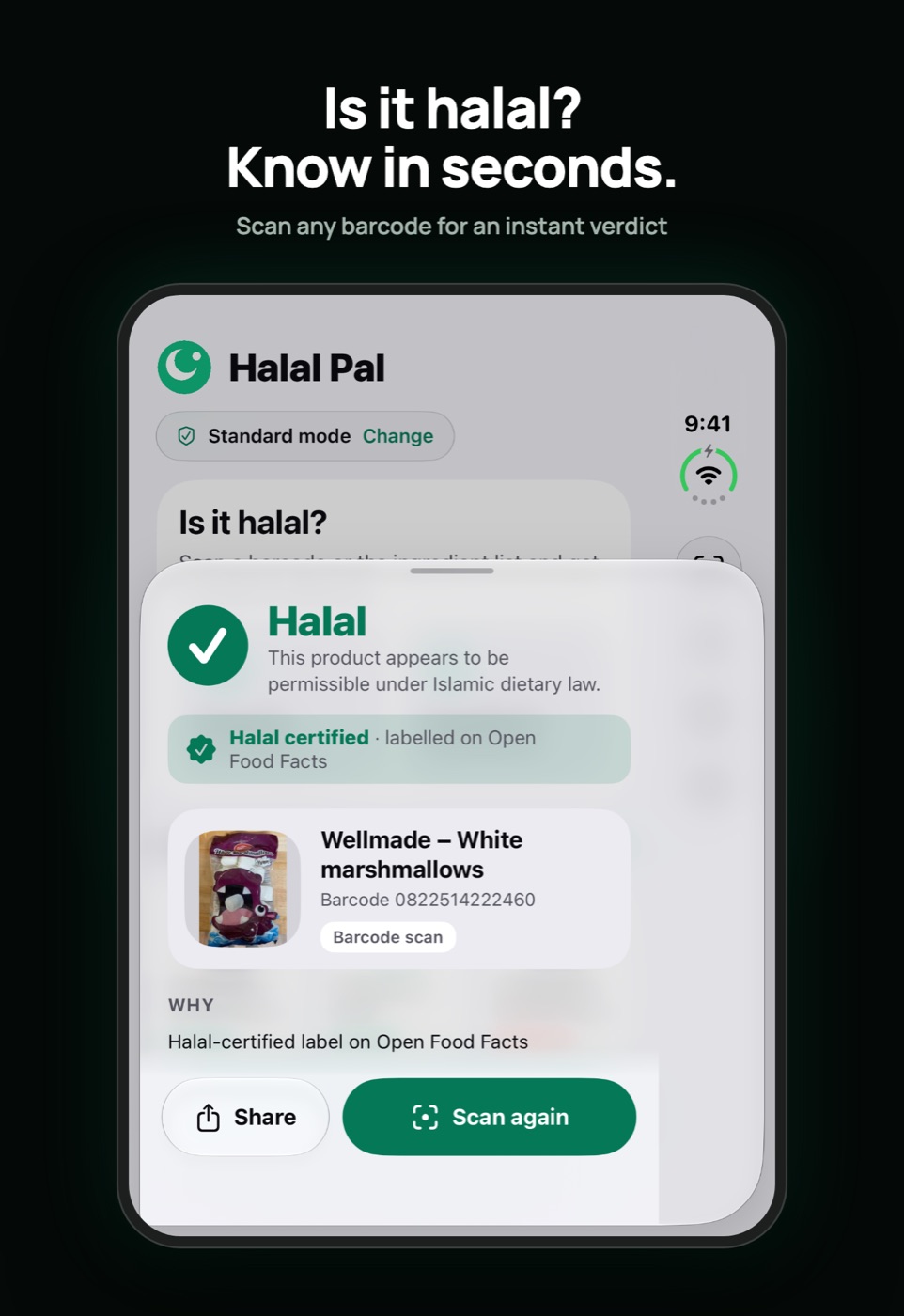
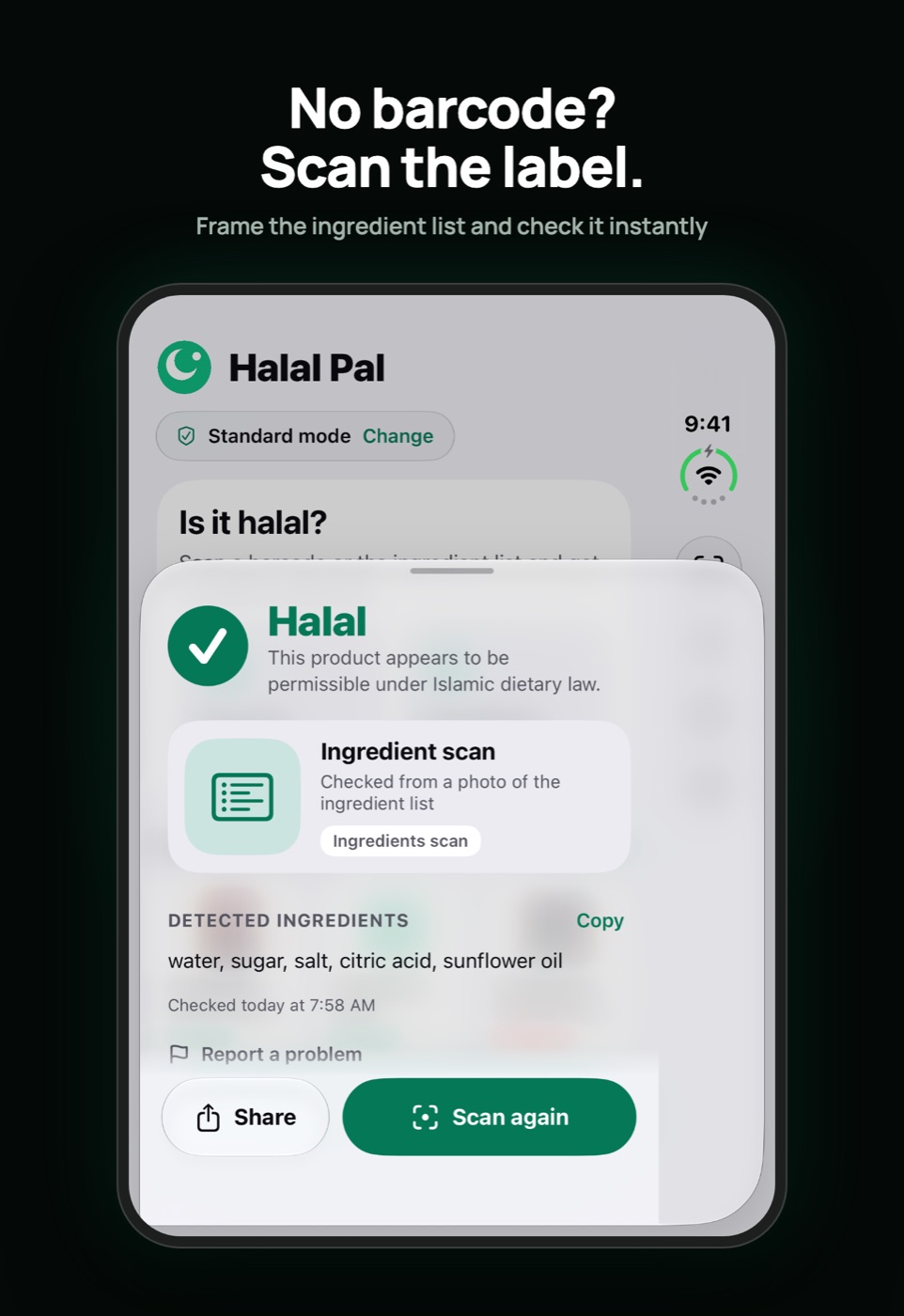
Folded: the outer screen
With the Duo folded, Halal Pal uses a single-column layout built for the outer screen. Scanning, results and history all work as on any iPhone, so you can check a product one-handed in the aisle.
Unfolded: the inner screen
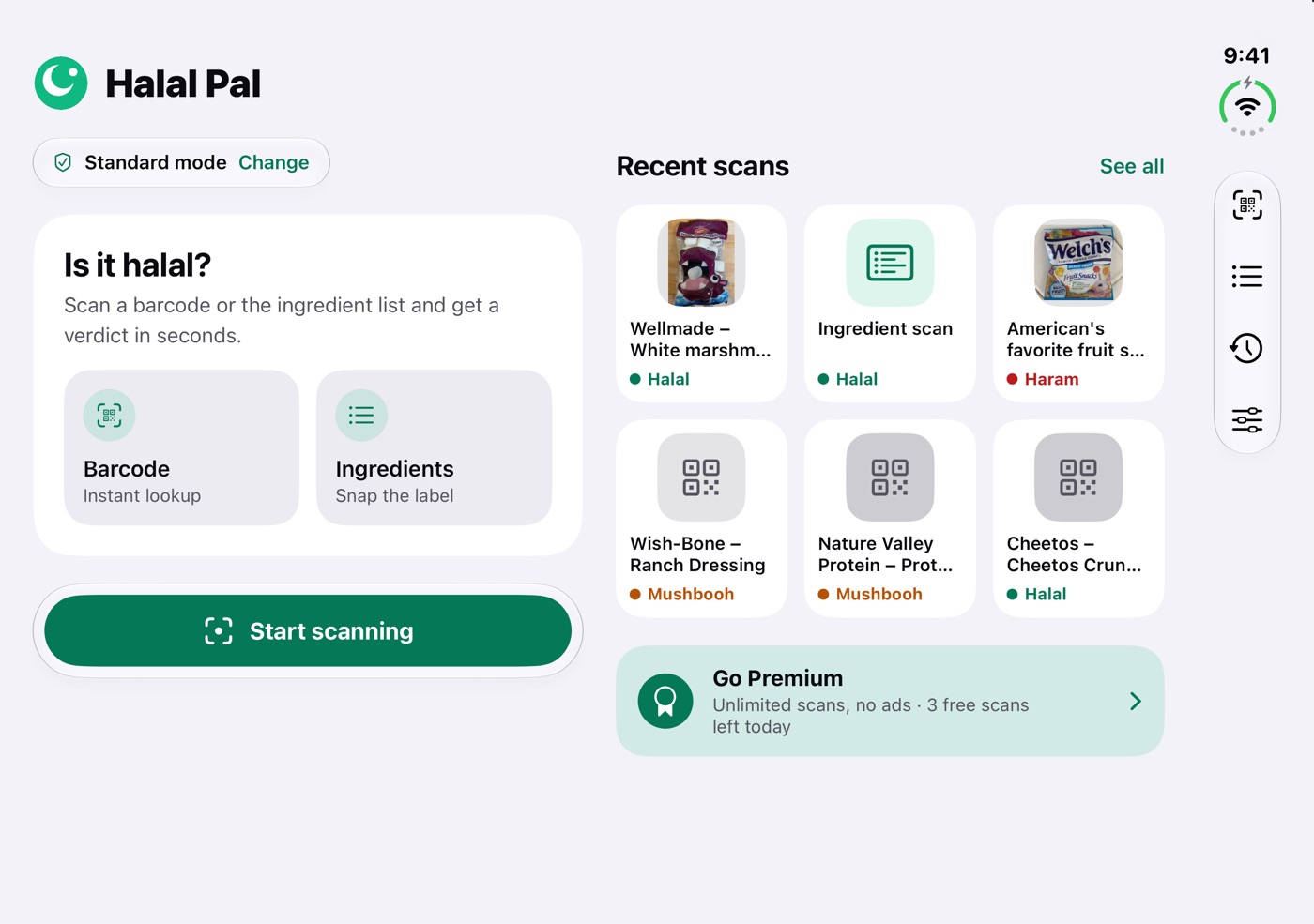
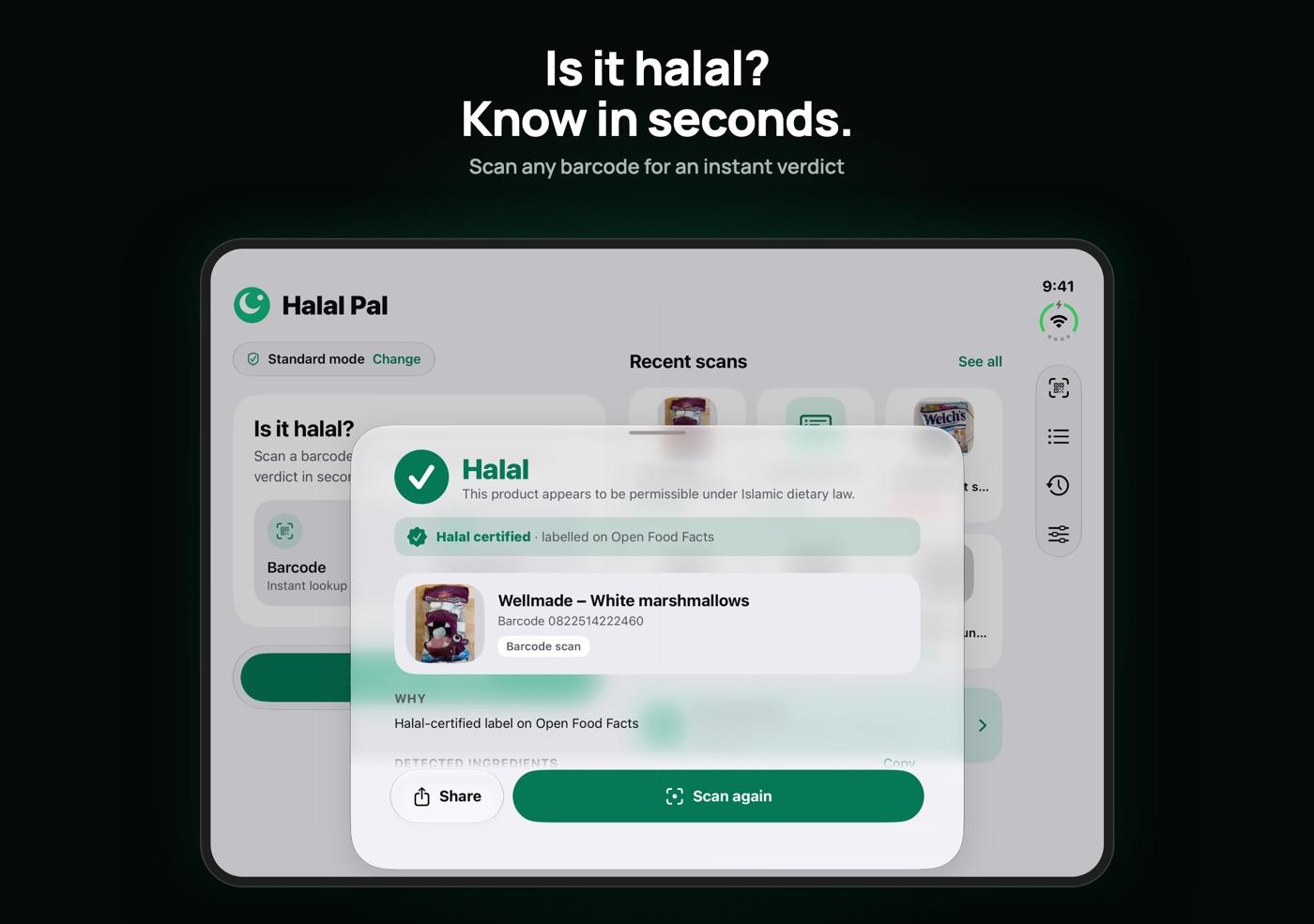
Unfold the Duo and Halal Pal switches to a two-column layout. On Home, the scan cards sit next to your recent scans. In History, the list of scanned products sits next to the details of the one you select, so you can compare products without going back and forth.
Side-bar shortcuts
The Duo’s side “vertical bar” puts the main actions one tap away:
- Scan barcode and Scan ingredients start a scan straight away.
- History opens your scanned products.
- Settings opens your preferences, including Standard or Dhabiha mode.
Inside the scanner the bar holds Close, Flash, Settings and the Barcode / Ingredients mode switch, so you can change what you are scanning without reaching across the screen.
How to scan a barcode on iPhone Duo
- Open Halal Pal and tap Scan barcode in the side bar, or Start scanning on Home.
- Hold the Duo so the barcode is inside the frame. It is read automatically.
- Read the verdict and the WHY section. Tap an ingredient to see why it was flagged.
Scanning is done with Apple Vision on the device. If a barcode will not read in dim light, use Flash from the side bar.
How to scan an ingredient label on iPhone Duo
- Choose Scan ingredients in the side bar, or switch the scanner to Ingredients mode.
- Photograph the ingredient list, then crop and edit it so only the ingredients are included.
- Review the result. Words that look mistyped are flagged for you to check, so a misread letter does not slip through.
This is the way to check imported, bakery or local products that have no barcode or are not in a database. See how to scan food to check if it’s halal for more tips.
Standard or Dhabiha mode
Choose the standard that matches your practice. Standard mode flags pork, alcohol and doubtful ingredients. Dhabiha mode also flags meat and animal ingredients that are not verified as dhabiha. You can switch at any time in Settings. Dhabiha vs. standard halal explains the difference.
Large text is supported too: the app follows your Dynamic Type setting.
Frequently asked questions
Does Halal Pal work on iPhone Duo?
Yes. Halal Pal Scanner supports iPhone Duo from version 2.1.1, with layouts for both the folded outer screen and the unfolded inner screen.
What changes when I unfold the iPhone Duo?
On the inner screen the app uses two columns. Home shows the scan cards next to your recent scans, and History shows the list next to the details of the selected product.
Is there a halal app for iPhone Duo that works without a barcode?
Yes. Switch to Ingredients mode, photograph the ingredient list, crop and edit it, and the app checks every ingredient. Text is read on your phone with Apple Vision.
What does the side bar on the iPhone Duo do?
It gives one-tap shortcuts: Scan barcode, Scan ingredients, History and Settings. Inside the scanner it holds Close, Flash, Settings and the Barcode/Ingredients mode switch.
Can I use Dhabiha mode on iPhone Duo?
Yes. Standard and Dhabiha modes work the same on every screen. Dhabiha is stricter about meat and animal ingredients without halal certification.
This guide is general information, not a religious ruling. A scanner checks product data and ingredient lists, which can be incomplete. When in doubt, look for halal certification or consult a qualified scholar.